Settings for Paxton Net2 when used with a HID H10304 format with Site code 475.
The wiring is as follows:
Wire Colour | Terminal |
RED | 12v |
BROWN | Red LED |
| Orange LED |
ORANGE | Green LED |
GREEN | Data/D0 |
WHITE | Clock/D1 |
| Media Detect |
BLACK | 0v |
When IDLE : RED
When ACCESS GRANTED: GREEN for door open time
When ACCESS DENIED: flashes RED/GREEN/YELLOW
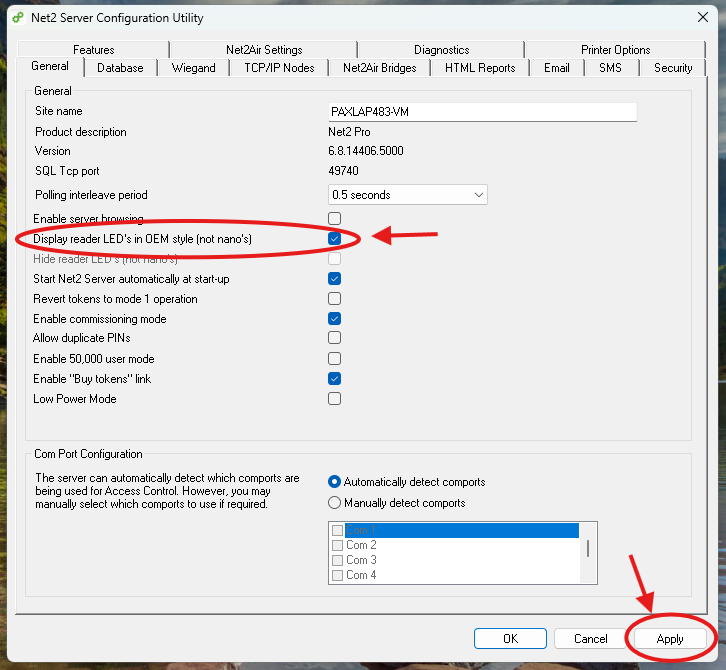
In Net2 Configuration Utility, under the General tab - ensure that 'Display reader LED's in OEM style' is ticked - Ensure to Apply:
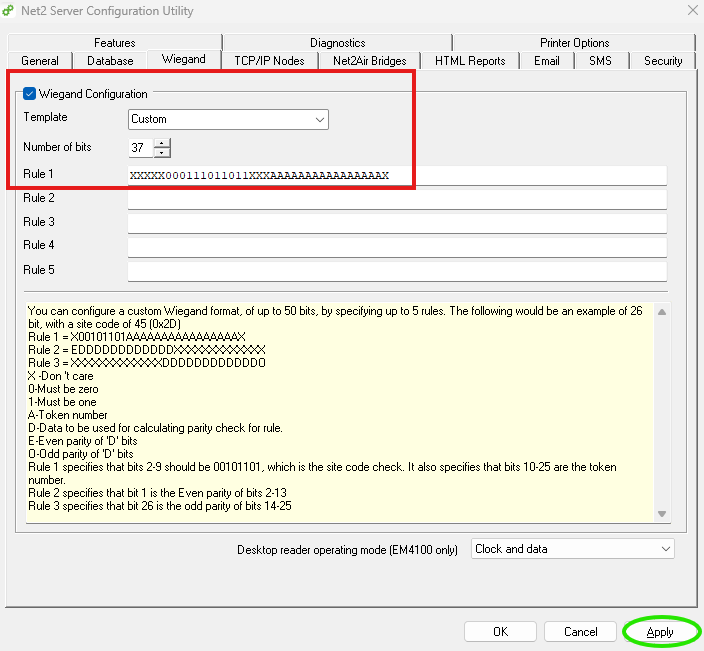
Settings for the card you sent to incorporate your site code 475. In the Net2 configuration utility you need to set rule 1 to 37 and put the rule as: XXXXX000111011011XXXAAAAAAAAAAAAAAAAX - ensure to apply.
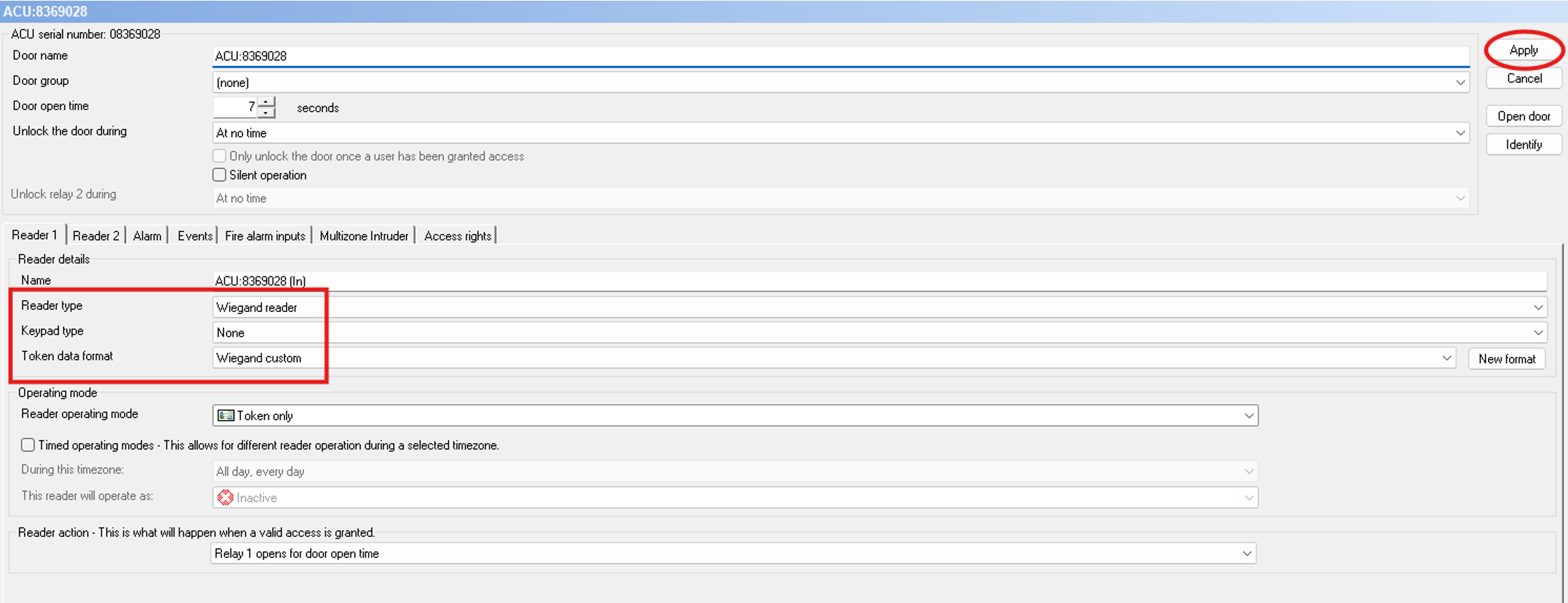
In Net2 Access Control - Set reader type to Wiegand Reader and Token Data format to Wiegand Custom - ensure to Apply
The Number written on the card will be the one reflected in the Net2 software.

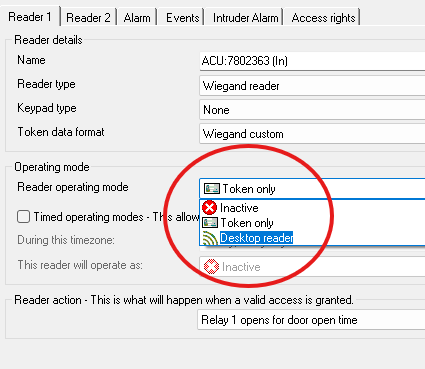
To enrol the cards, you will need to set the reader operating mode to 'desktop reader' and apply. The Net2 desktop reader will not work with these cards.
Was this article helpful?
That’s Great!
Thank you for your feedback
Sorry! We couldn't be helpful
Thank you for your feedback
Feedback sent
We appreciate your effort and will try to fix the article